Your shoot, culled in an instant.
Pelli Instant sets aside blurry shots, closed eyes and duplicates, keeps the best of each burst, and leaves the final call to you. It runs on your computer: your photos never leave it.
- Free with a Pelli account
- Mac with Apple Silicon · Windows 10 and 11

























Pelli Instant at a glance
Runs on your computer: your photos are never uploaded
Open source: the whole app is on GitHub
RAW and JPEG from Canon, Nikon, Sony, Fujifilm and more
Nothing is deleted: your originals stay as they are
The first pass is done. You keep the last word.
Four steps from a folder of RAWs to a selection ready for editing.
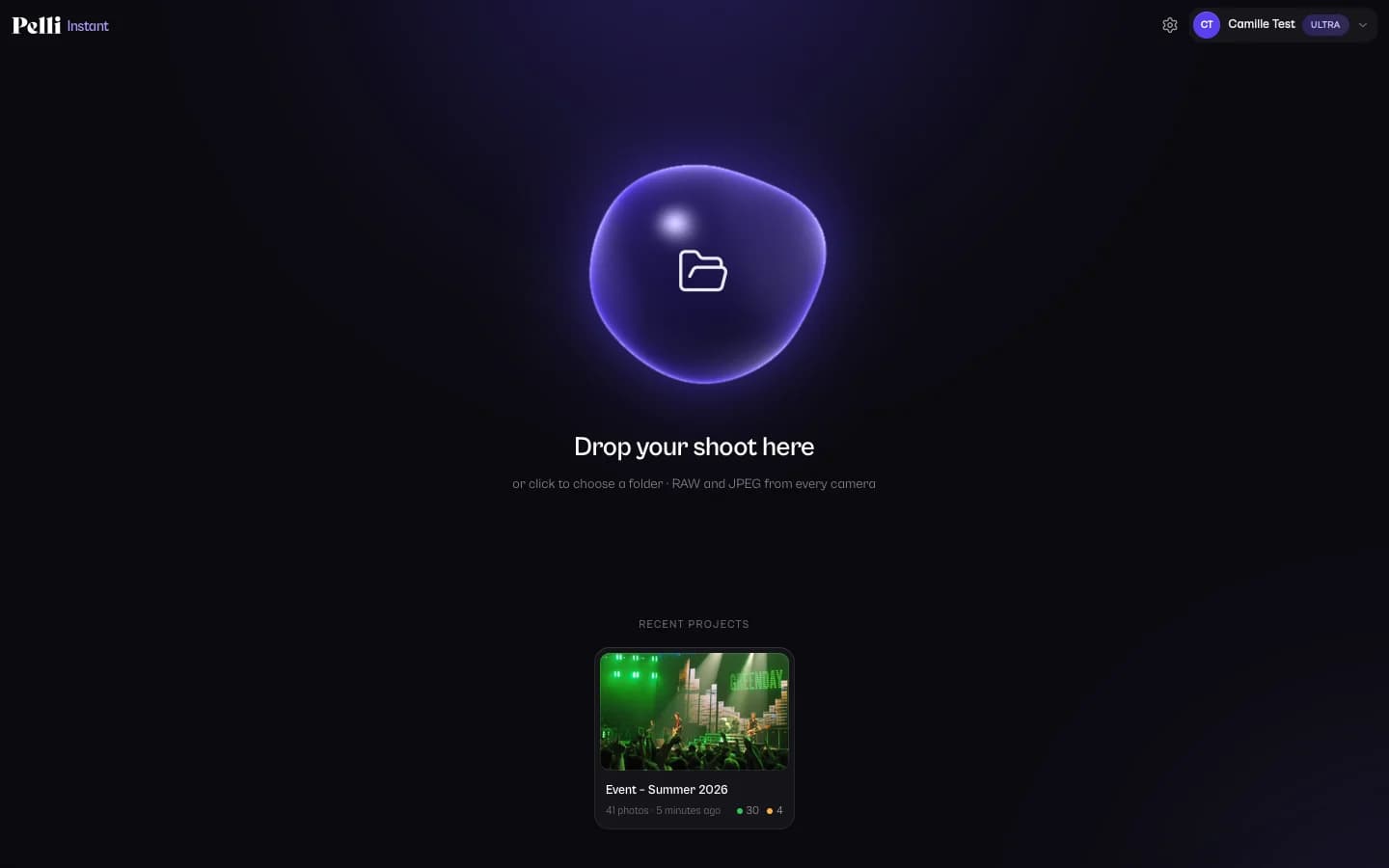
Drop a shoot
Drag a folder onto the window, with its sub-folders if you like. A RAW and its JPEG twin count as one photo.It sorts
Focus, motion blur, exposure, faces and eyes, bursts: every photo is checked, and the grid fills in as it goes.You review
Selected, To review, Rejected, each rejection with its reason. Change any call in one key.You export
Stars and colour labels for Lightroom, a copy of the selection, or the rejects moved aside.
It tells a mistake from a choice.
Creamy bokeh, a low-key portrait or eyes closed during a kiss aren't errors: on its default sensitivity, Pelli Instant doesn't hold them against a photo. When it sets one aside, it says why.
Focus you can trust
It measures how wide edges are, not how contrasted, so shallow depth of field and high ISO aren't taken for blur. A face's focus comes first.Motion blur
Camera shake and a moving subject are spotted, without confusing them with hair, fur or fabric.Closed eyes
It reads each face's eyes and tells a blink from a smile. On Balanced and Lenient, closed eyes send a photo to review, never straight to the rejects.Exposure in stops
It estimates how many stops a photo is off. One stop is never flagged; two usually go to review, since a RAW can recover them.Bursts and duplicates
Shots taken seconds apart are grouped and the best one, or the best few, is kept. Exact copies are found whatever their date.Three sensitivities
Strict, Balanced or Lenient. Switching re-sorts the shoot instantly, without analysing it again.AI search
Type “bride bouquet” or “first dance”: the matching photos come first. No keywords to add beforehand.Ratings for Lightroom
Stars and colour labels in an .xmp file next to each RAW, for Lightroom, Capture One, Bridge or darktable.
Made for the way you already work.
A dark, neutral interface like Lightroom, the Lightroom keys, and a loupe at 100%.
Your projects
Pick up where you left off.
At the keyboard
Keep or reject, with one key.
- ↑keep
- ↓reject
- PXUpick, reject, unflag
- 1–5stars
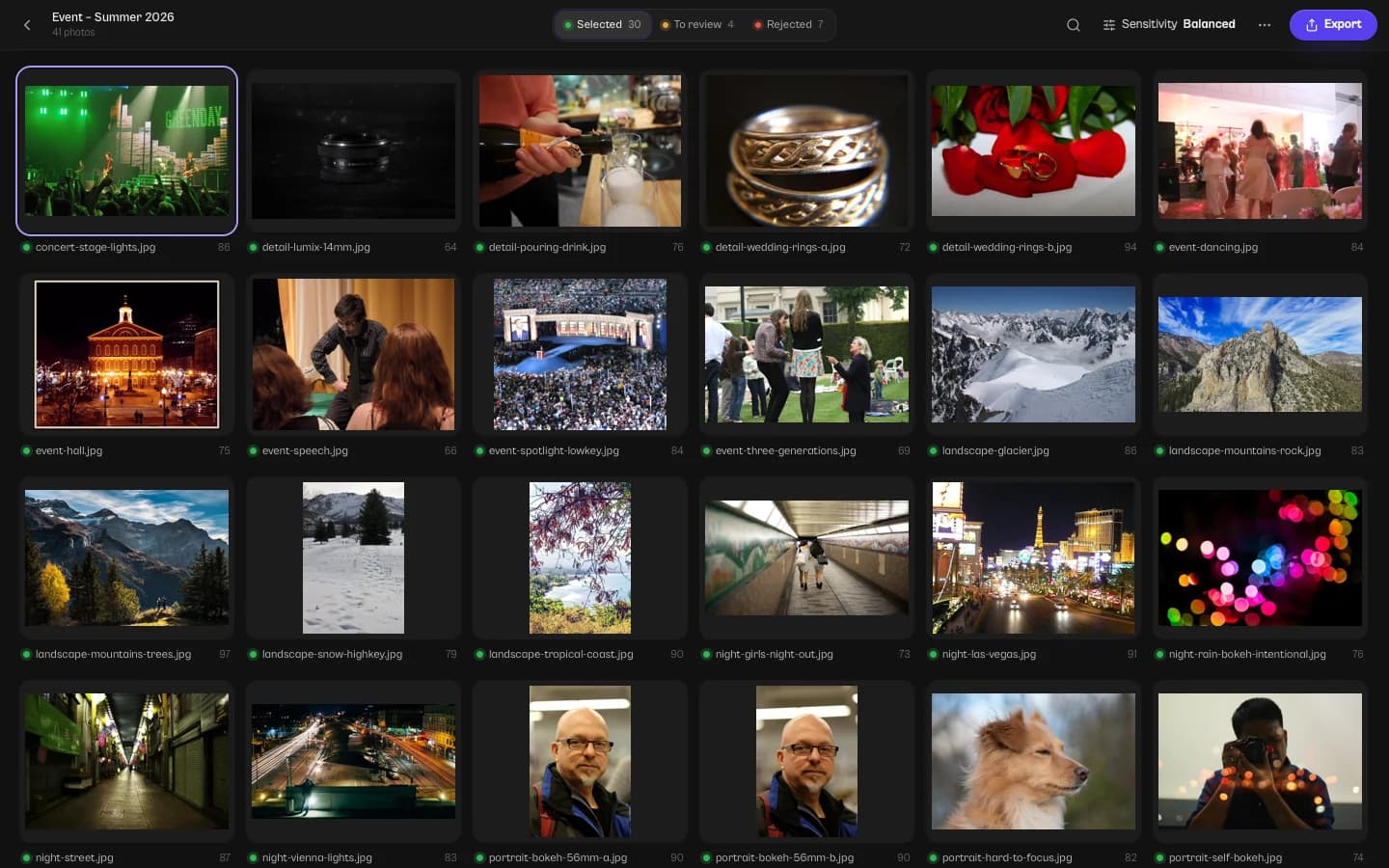
Photos in the screenshots and the animation: Flickr photographers, under CC BY 2.0 and CC0 (credits (opens in a new tab)).
Your photos never leave your computer.
The AI models are installed with the app and run locally. Pelli Instant reads your files where they are, and sorting never sends them anywhere.
Sorted locally
The analysis runs without the internet. Your folders stay untouched until you export, and your files are never modified or deleted.
What Pelli receives
To sign you in and count your photos: your computer's name at sign-in, how many photos you sort, the app version, your system and the interface language. Never your photos, their names or their content.
No telemetry
No analytics and no crash reporter. The models are fixed files: they don't learn from your shoots.
Tuned for what you shoot.
The same checks, weighted for the realities of each kind of work.
Weddings
Long days, bursts at every key moment, eyes closed on purpose during the kiss: on Balanced, a closed-eye kiss is never rejected.
See howEvents
Dim venues, high ISO, crowds and repeated shots: Strict sensitivity and burst grouping for large coverage.
See howPortraits
Focus judged on the eyes, creamy bokeh kept, a blink told from a smile: culling that respects shallow depth of field.
See how
Straight into your editing workflow.
Pelli Instant hands your selection to the tools you already use, then you deliver it with Pelli.
Ratings in Lightroom
Stars and colour labels for each decision, in .xmp files that Lightroom, Capture One, Bridge and darktable read. Settings already in a sidecar stay.A clean selection
Copy the selected RAW, JPEG or both to the folder of your choice, sub-folders kept, or move the rejects to a sub-folder.Delivered with Pelli
Once edited, deliver the photos in a Pelli client gallery: publish from Lightroom Classic with the Pelli plugin, or upload them to a gallery.
Free, with a Pelli account.
Download it for free and sign in with a Pelli account, free to create. Your Pelli plan sets how many photos you sort each month.
| Pelli plan | Photos / month |
|---|---|
| FreeNo subscription | 200 |
| LiteFrom €5/month | 1,000 |
| ProFrom €15/month | Unlimited |
| UltraFrom €35/month | Unlimited |
| Free trial15 days, no credit card | Unlimited |
- A RAW and its JPEG twin count as one photo.
- Sorting a shoot again doesn't count.
- The count starts again on the 1st of each month.
Your questions
Is Pelli Instant free?
Why do I need a Pelli account?
Do my photos leave my computer?
Will it reject every photo with closed eyes?
Which cameras and files does it read?
How do I get the ratings into Lightroom?
Does it work offline?
Which computers does it run on?
Try it on your next shoot.
Install Pelli Instant, sign in with Pelli, drop a folder. The AI models come with the app.
- Free with a Pelli account
- Open source (MIT)
- Mac with Apple Silicon · Windows 10 and 11